
MeetingGlass Advantages vs Zoom, Discord & Alternatives
Why MeetingGlass offers a softer, friendlier video meeting experience with its shared virtual frosted glass where everyone sees everyone through frost simultaneously.
📊 MeetingGlass vs Alternatives Comparison
| Feature | MeetingGlass | Zoom Free | Discord | Google Meet |
|---|---|---|---|---|
| Mutual Visibility for Everyone | ✅ Everyone sees everyone through frost | ❌ One-way possible | ❌ One-way possible | ❌ One-way possible |
| Mutual Unfrosting Agreement | ✅ Both agree to see clearly | ❌ No | ❌ No | ❌ No |
| Shared Frosted Environment | ✅ Standard for all participants | ❌ No | ❌ No | ❌ No |
| No Registration Required | ✅ Anonymous | ❌ Account needed | ✅ Optional | ❌ Google account |
| Meeting Time Limit | ✅ Unlimited | ❌ 40 minutes | ✅ Unlimited | ❌ 60 minutes |
| Low CPU Usage | ✅ Optimized | ❌ High | ❌ Moderate-High | ❌ High in browser |
| Setup Time | ✅ 60 seconds | ❌ 5+ minutes | ❌ 3+ minutes | ✅ Quick (with account) |
Key Advantages of MeetingGlass
MeetingGlass is designed specifically for comfortable, privacy-focused video Hangouts that traditional platforms don't address:
🏆 Unique Privacy Advantages
Unlike any other video meeting platform, MeetingGlass offers:
- Mutual visibility for everyone - All participants see each other through frost simultaneously
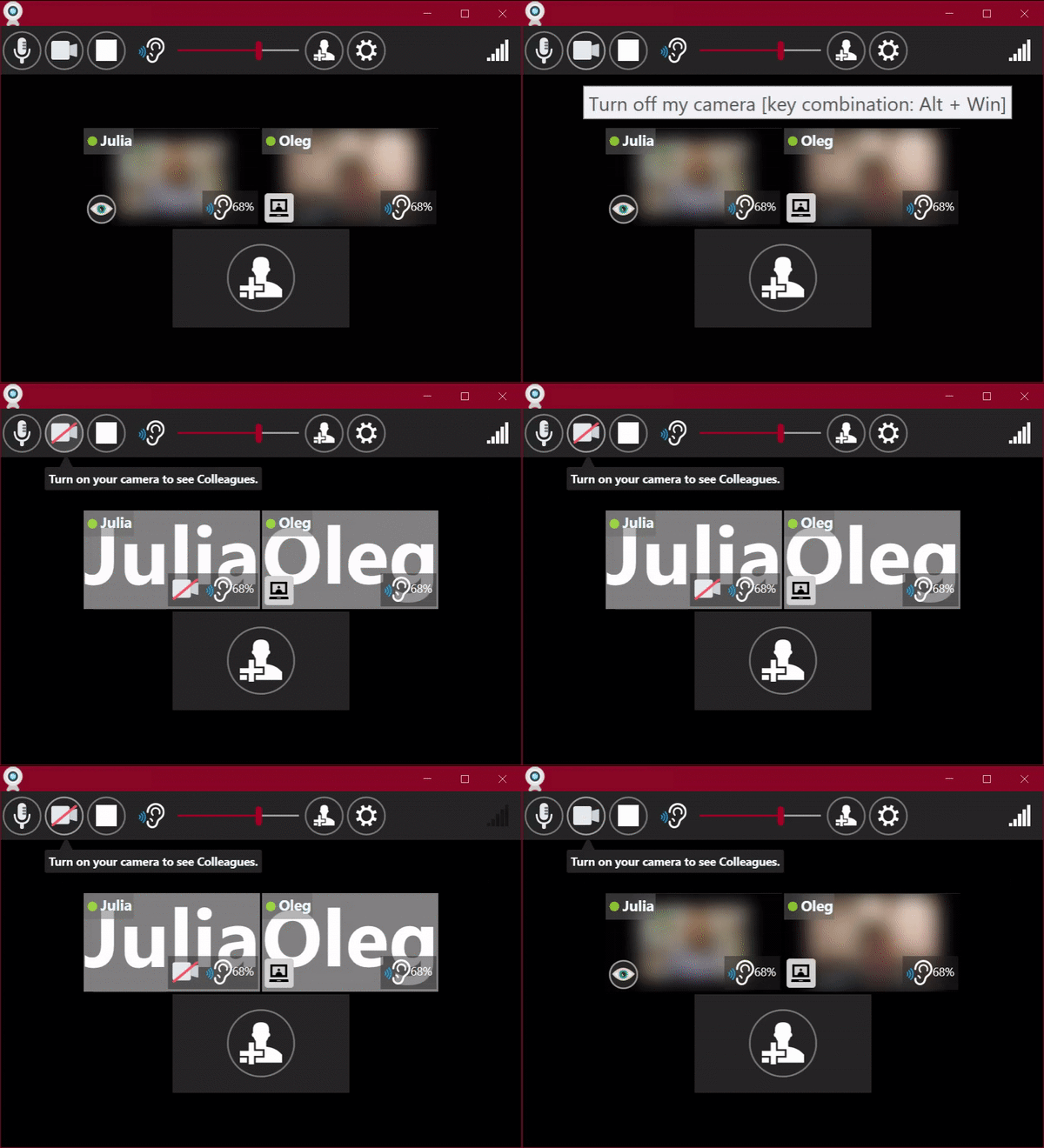
- Mutual unfrosting agreement - You both agree to see clearly, or you both stay frosted

-
Designed for spontaneous communication
Join instantly without scheduling, unlike Zoom's meeting-centric approach. Everyone enters the same shared frosted environment. -
Low CPU consumption
Uses less resources than Zoom, Discord, or browser-based solutions for longer, more comfortable Hangouts in the shared environment. -
Low bandwidth consumption
Optimized streaming that works better on limited connections than alternatives, while maintaining the shared frosted experience. -
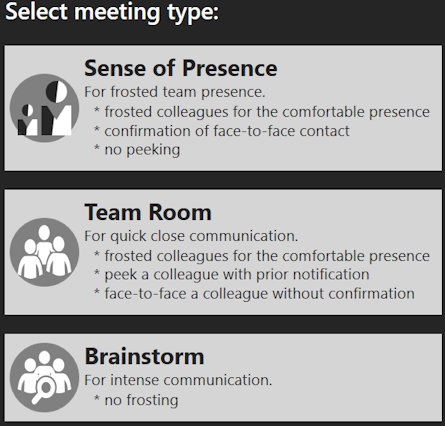
Customizable privacy to achieve maximum level of comfort
Adjust privacy levels per meeting for all participants simultaneously - something Zoom and Discord don't offer.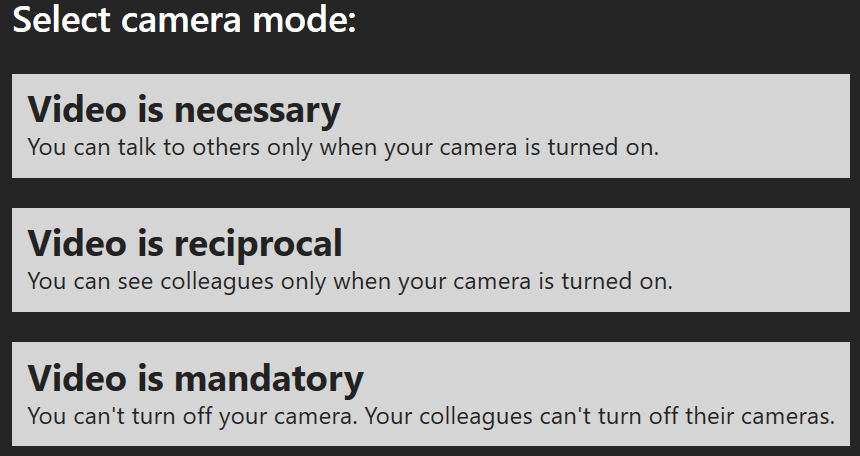
-
One click for mutual face-to-face (in Sense of Presence privacy level)
Click to request seeing someone clearly. They accept = you both see clearly. They decline = you both stay frosted. No one-sided staring.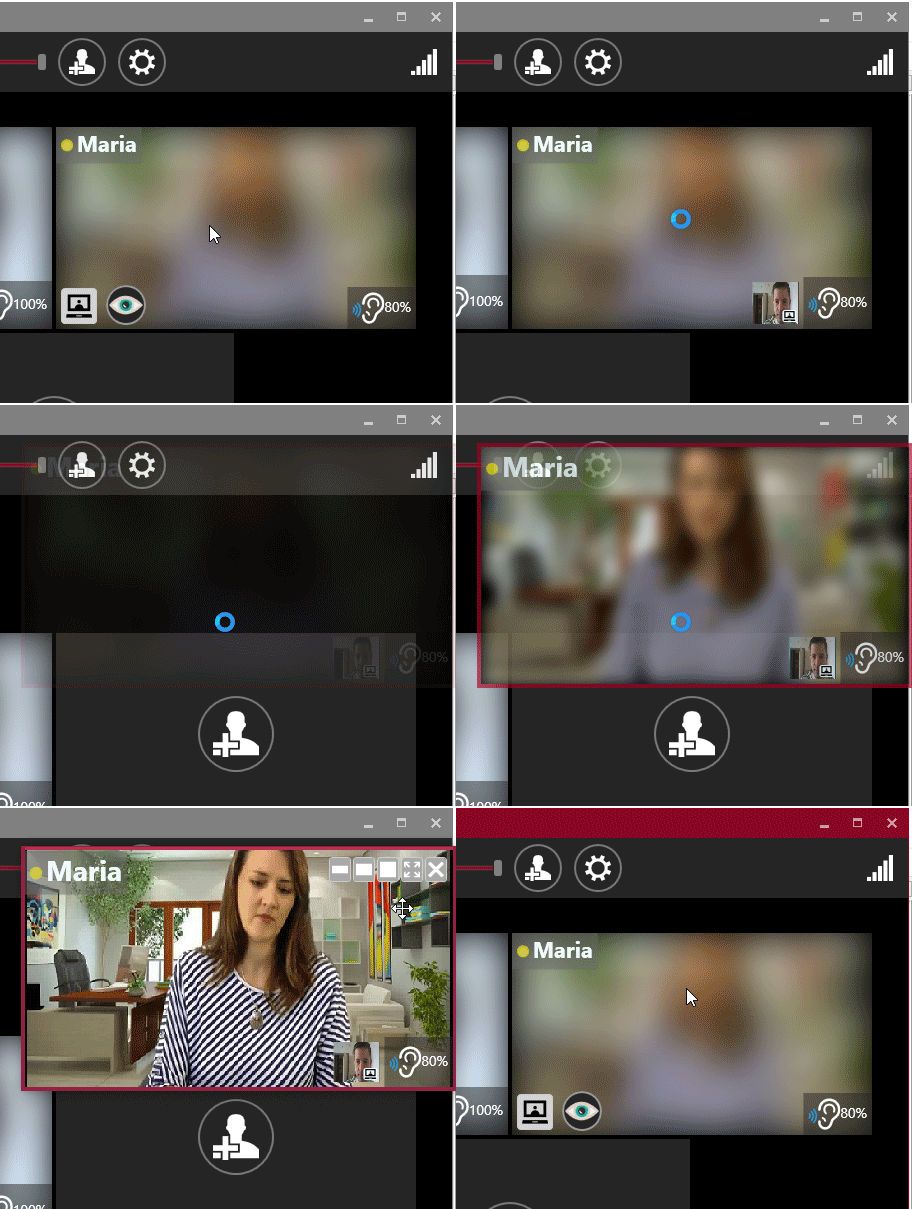
-
Click to peek at colleague (in Team Room privacy level)
Click to peek at collegue. He sees a notification that he is going to be unfrosted in a few seconds, until he is automatically re-frosted.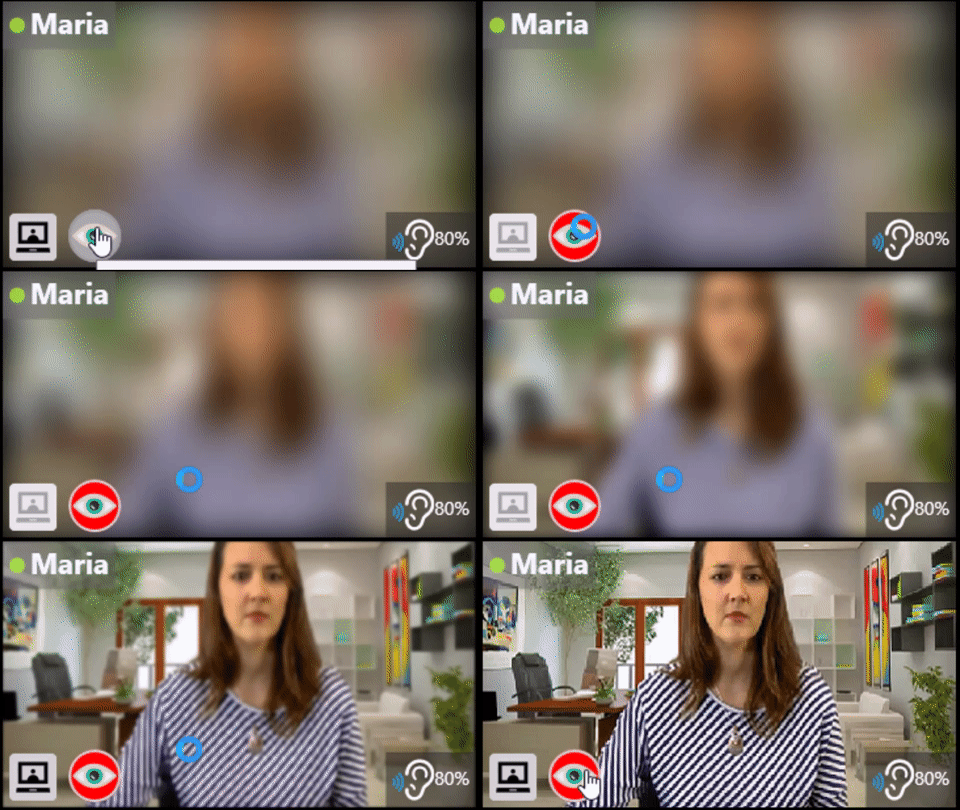
-
Customizable size of video for all users
Equal sizing for all participants, unlike Zoom's spotlight/speaker view hierarchy. Creates equitable visual experience for everyone.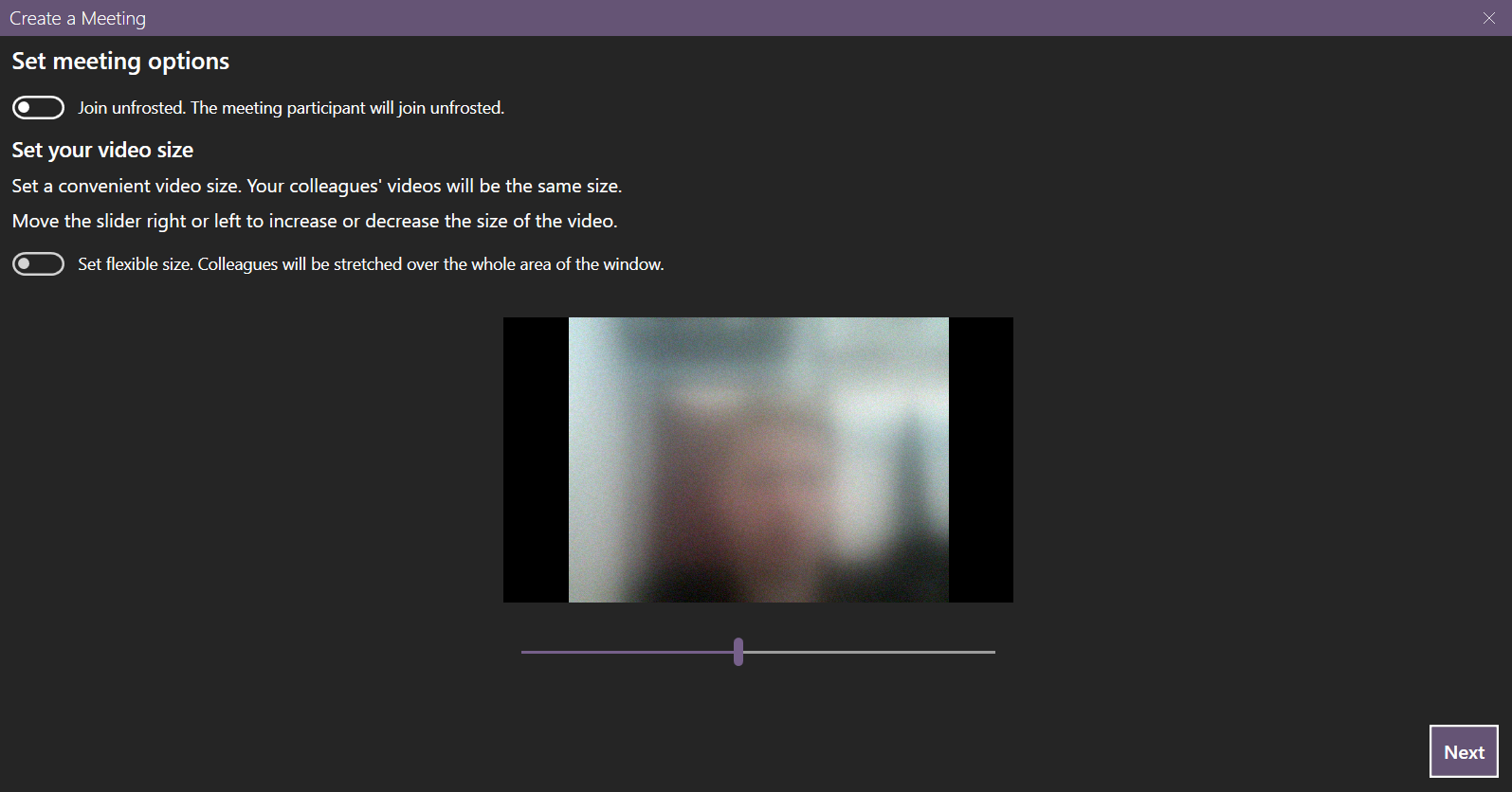
-
Set up unfrost time
Specify how many seconds it will take to unfrost a participant. No instant appearences that will make you jump. User appears gradually so you could prepare for a comfortable visual contact.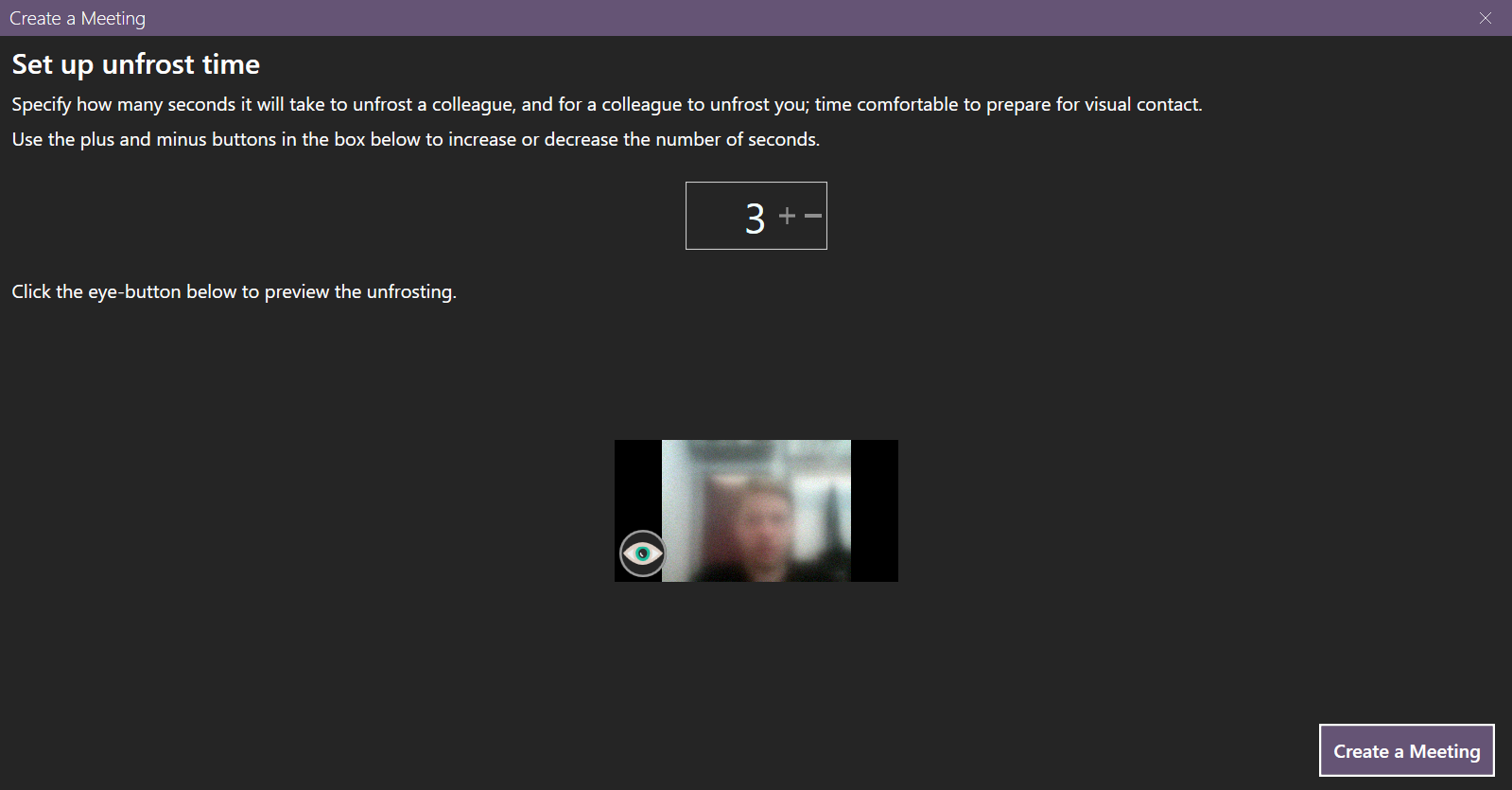
-
Quick install and setup
Faster than Zoom's multi-step installation and account creation. Get your team into the shared frosted environment in a couple of minutes. -
Anonymous: No email or real name registration required
Privacy-focused vs Zoom's data collection and account requirements. Everyone joins the shared space equally. -
Try solo or with colleagues
Test the app alone before inviting others - unique to MeetingGlass. Experience the shared environment from both perspectives. -
Convenient shortcuts to (un)mute your microphone in a split second
Faster than Zoom's multiple clicks to mute/unmute, designed for the shared meeting environment. -
No distracting sounds
- Adjustable volume of sound coming from others in the shared space
-
No microphone worries
- Big & clear muted / unmuted microphone indication visible to all in the shared environment
-
Fast screen sharing
Optimized performance designed for the shared frosted environment. -
Unlimited meeting time
No 40-minute cutoff like Zoom Free - perfect for hanging out with friends, study sessions or work days in the shared comfortable space. -
Join a hangout when Windows starts
Auto-join capability for always-available presence in the shared frosted environment.
Why MeetingGlass is Better for Specific Use Cases
💼 For Remote Work Teams:
vs Zoom: No meeting time limits, lower CPU usage for all-day presence, mutual visibility prevents surveillance feeling, mutual unfrosting creates respectful connections, no account requirements for contractors, shared frosted environment creates team equality.
🎓 For Study Groups:
vs Discord: Better privacy controls, frosted appearance for all reduces distraction, mutual unfrosting for focused help, unlimited time for long study sessions, easier setup without server creation, shared environment promotes equal focus.
👥 For Friends & Family:
vs Google Meet: No Google account required, more casual frosted appearance for everyone, mutual agreement for clear video feels more respectful, auto-join capability for always-available connections, simpler interface, shared space feels more natural and more comfortable.
✅ Built for Performance & Shared Comfort
🔒 Privacy by Design
Mutual visibility for all · Mutual unfrosting agreements· Shared frosted environment
⚡ Performance
Low CPU usage · Minimal bandwidth · Hardware acceleration for the shared environment
🚀 Convenience
No accounts or tracking · Quick setup · No time limits
Experience the Difference of Shared Frosted Glass
Try MeetingGlass and see why it's better for comfortable, privacy-focused video Hangouts where everyone shares the same frosted visibility.